Free Personal Cloud Storage
Today world most of us aware about the thing more often call
"Cloud", the cloud topic is huge and on this particular blog, I'm going to discuss only a particular section of the Cloud which is
Cloud Storage. if you see the Cloud Storage also have 3 main categories as below.
- Personal Paid
- Enterprise Paid
- Personal Free
As Listed Above You can Categories this for many but if you see most
of the services of Cloud Storage you can put them under any of the
categories I have mentioned above.
(please note that above categorization is only as per my understanding of the Cloud service).
Out of the three categories as mention on My Title of the Blog I'm will be discussing
Free Personal Cloud Storage Service only. withing the subject I'm Going explain details about my personal free services which I'm using.
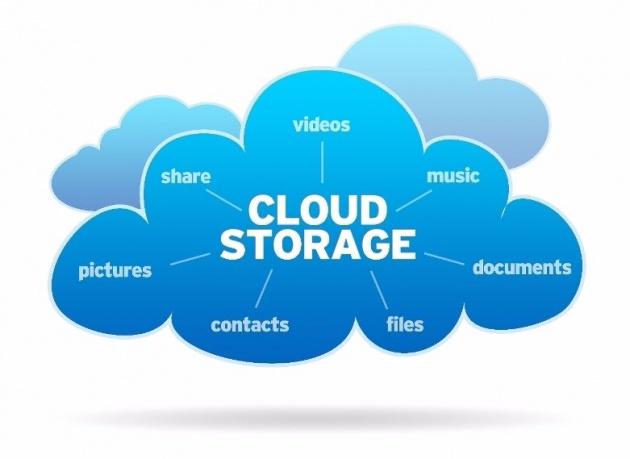
Image Source: Cloud Storage-Cloudstoragezone.com
What is Cloud Storage?
Let us understand What is Cloud Storage in Professional Manner as per the Wikipedia Definition
"Cloud
storage is a model of data storage in which the digital data is stored
in logical pools, the physical storage spans multiple servers (and often
locations), and the physical environment is typically owned and managed
by a hosting company."
Hope everybody got some understanding about the cloud storage and let me now provide some details about my favourite 3 free cloud services,
features & and their differences.
My Favorite 3 Free Cloud Services.
- Dropbox - by Dropbox Inc.
- Google Drive - by Google
- OneDrive - by Microsoft
Now you know my favourites and let us see their features one by one.

Image Source: Dropbox.
Dropbox Cloud service is provided by the Dropbox inc. Company and as the Free user you are Provided
2GB of
Free storage for the basic Account. these Dyas 2GB is not enough but
don't worry they have given you the option to increase your space
Maximum up to
16GB by their referral program.
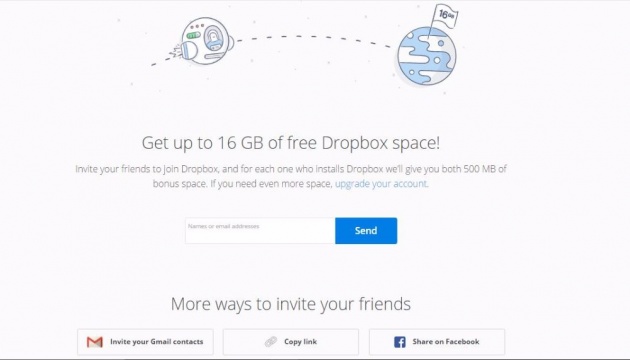
Image Source: Screen Captured from My Dropbox Account Page
As you can see once you have the Dropbox Account and it very simple
to Earn some extra space you just need to invite your friends by emails,
Share Link on Facebook or You can Copy the Link to Your Blogs. Since
each referral is giving you 500MB space if you can bring 28 people as
referral of you then you will be able to earn that extra 14GB of space
as free.
Before they have given when you complete some task also like below
- When you complete getting start guide - 250MB
- Link Dropbox with Facebook - 125MB
- Answer simple task why you love dropbox - 125MB
- Link Dropbox with Twitter - 125MB
- Follow Dropbox in Twitter - 125MB
- Posting on Twitter - 125MB
All these Tasks you can find in your Dropbox Setting Page but I'm not sure as of now these options still available or not.
Please Note in order to earn referral bonus space your
referral required to complete the below task if that is done only you
will be rewarded with the bonus space.
- Accept Your Invitation to Signup for an account
- Install the Dropbox Desktop App
- Signs in from the Desktop App
- Verifies their Email Address
- File Sharing
- Automatic Organization & Backup
- Any Device Accessibility
- File Storage
- Preview and Download
- Automatic Updates
- Large File Sharing
- Simple Link Sharing via email, chat or Text message
- Online Backup & File Recovery
- 256 bit AES encryption security
- offline access
- efficient syncing
Dropbox Access Options.
- Using Web Browser
- Installing Client on PC, Phone Or Tablet
Platform Support for the Dropbox App.
This is Main Highlighted Feature of Me when it comes to Platform
Support Dropbox Client is Support may of the Device Platforms as listed
below and due to that I have given No 1 position to the Dropbox in my
personal favourites.
- Windows PC
- Windows Phone
- Mac OSX
- iOS Devices
- Android devices
- Linux Operating Devices
Benefits of Dropbox Cloud Storage
- Create, Edit Files in Dropbox even if you are in offline and when
you connect your device online the files will be automatically synced.
- Editing a shared file everyone gets the update automatically.
- if you enable automatic Camera Backup from your Mobile or Pc it will to saved in the date order in the Dropbox for you to create albums
& Share, also you have 30 days of Undo history to restore the files if you delete it accidentally.
- You can share files, photos & videos even some without having a Dropbox account.
- Save Any kind of file on you Dropbox Folder & Sync them across all the device from mobile to Desktop any os Platform.
so far we discuss the lot of features and benefits of Dropbox if you like have Dropbox Free Account you Can
Signup here, now let's jump into The Next Service.
Google Drive:-
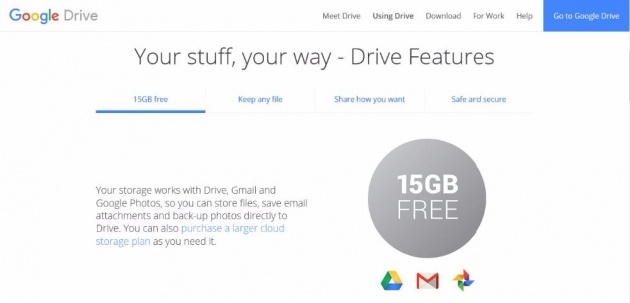
Google Drive is my main Drive at the moment when it comes to
Personal Free Cloud Storage. Unlike other services, Google does not have any referral system to Gain Free Storage. As soon as you create Gmail The account you are eligible for the
15GB Free Cloud Storage of Google.
Even Though Google Drive did not provide referral earning free space
for the Drive but google time to time offer some free space when you do
certain Task. as an example one time they provided me Additional 2GB of
Free Space for Reviewing the google Security Verification, Likewise
they have the Different mechanism of offering additional free space to
the users.
What are the Features of Google Drive
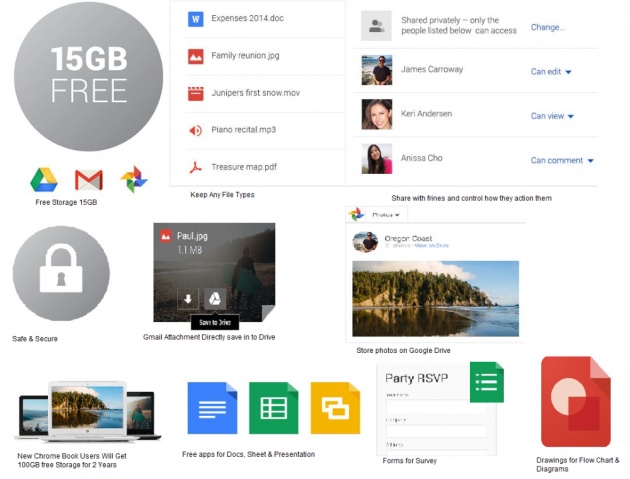
Image Source : Created by me with Set of Screen Capture Images Combine as Single Image
- 15GB Free Storage as soon as you signup for Google Services.
- All Google Service(Gmail, YouTube, Google Drive, Google Play,
Google+, Google Map, Google Calendar, Contacts, Docs etc.) are Mange
with Single Authentication.
- Sync Files with Mac, Windows & Android Platforms (no Support for Linux at the moment).
- Store any type of files and share those people who you want simply
by link or email invitation, unless you share it all your Drive Files
are private and only you can see those.
- Google Dock Provide Multiple Editing Facility of which you and your friends can modify one document same time.
- Google Drive is Encrypted with SSL
- Save any Gmail Attachment to Google Drive
- Powerful Search Option
- Store Your Photos & Videos In Drive and Will Crate Automatic
Albums, Slideshows, Movies & organised them with location, Poole,
collage, Things etc.
- New Chrome Book Users Get 100GB Free Space for 2 Years.
- Free Apps for Docs, Sheet, Presentation etc.
- Google Form App for Survey and team roster.
- Drawing app fro Flow Chart and diagram create.
As you can see in the above list Google is providing tonnes of apps
& Feature for Free with their cloud storage solution. My Most
Favorite feature they given is the
Unlimited Storage for Photos & Videos for
you if you set your back option on the Drive to High Quality(Visually
Google Reduce the Quality of Image & Videos from the Original Size)
High-Quality Photos Up to 16MP & High-Quality Video up to 1080P is
is the limit beyond that size they will compress you photos and videos
to maximum size and store. if you need the original size then those
will consume you Drive Space.
My Second Favorite is the Google Docs I'm Heavily depending on the
Spread Sheet Which Compared to Microsoft free Online office Much Better
Because it has More Features than What Microsoft is Providing.
Platform Support for App.
Google Drive App is Currently Support Windows Pc, Mac, iOS &
Android and It doesn't Support Any Client for Linux & Windows Mobile
but You can Always Access the Online Web Version from any of the
Operating System Platform. we talked most of the features and benefits
about google drive lets moving to the next service.
If you take Microsoft OneDirve Google Drive has Almost Similar
features other than the storage service they have lots of online
services like Online office and other Microsoft Related App linked into
Single Authentication with Microsoft Account.
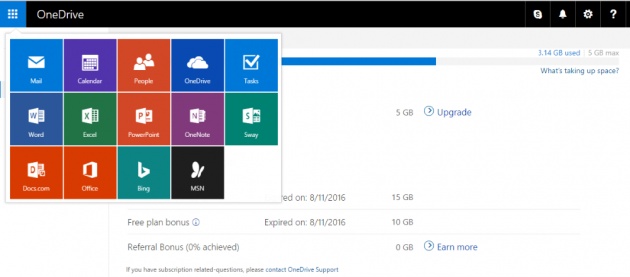
Image Source : Screen Capture of My OneDrive Web Interface Screen
Microsoft One Drive intrinsically linked with Windows Phone, PC and
online office. if you have Hotmail or Outlook Account you already have
Microsoft OneDrive Space with you. before Microsoft Provided 15GB free
storage & Another Additional 10GB for but after 11/08/2016 they have
removed bonus Space, any new user will now get
5GB of Free Storage.
Though they give you only 5GB Free Storage you can always earn extra
10GB as referral Bonus that means effectively you can Get Maximum
15GB OneDrive
Storage Free. Best Part of the referral Bonus is the person who is
inviting and the one who is accepting and Signing in to OneDrive Both
will be able to Earn 500MB Bonus Space.
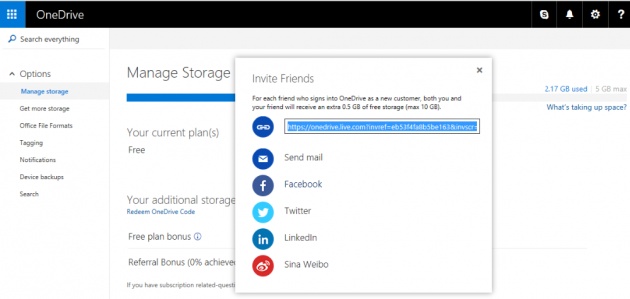
Image Source : Screen Capture of My OneDrive Web Interface
as you can see in the above they have integrated with social media
and like sharing options so that you can publish the link and invite
people to OneDrive both Can Enjoy the 500MB Bonus Space on it. you can
Signup
OneDrive Here.
Platform Support
OneDrive has the native client for Windows & Mac operating system
and Native App for the Windows Mobile, Android & iOS Devices. the
benefit of the native client or the native app it will give your file
access even if you are in offline mode and once you are online files
will automatically sync across all the devices. all the other platforms
you can have online web access to OneDrive as well as free apps like
word, excel, power point etc, with limited features.
Summary
as to summaries the free cloud storage if you do the small comparison
of above three services ultimately the free space given my all the
three Comparison are almost same. lets put them into a table.
DropBox GoogleDrive OneDrive
2GB Free R.B
*(14GB Max) 15GB Fee upon Signup 5GB Fee R.B*(10GB Max)
High-Quality Photos &
Videos Unlimited Free
16MP & 1080P Quality
R.B* = Referral Bonus
as you can see above the Best Storage is GoogleDrive without
the hassle you have 15GB Free Storage as well as Unlimited Storage for
you Photos & Videos if you set with the HighQualtiy options that
will not consume Drive Space Which is Great.
Native Client Support vote is Going to Dropbox which cover almost all the platform.
When It comes to Features & Storage No Doubts it is Google Drive.
so I hope my article may help some of you to just compare & select
What Free Cloud Storage is best for you. Since there are no restrictions
to stick into one service i'm enjoying all the 3 services i have
mention above.
Main Benefit is No worry about formatting PC or Resetting your phone,
with google all my contact, pictures, Documents & Videos are backed
up. so never lose any important file again use the cloud service and
it will be available at your fingertips when every you need it.